

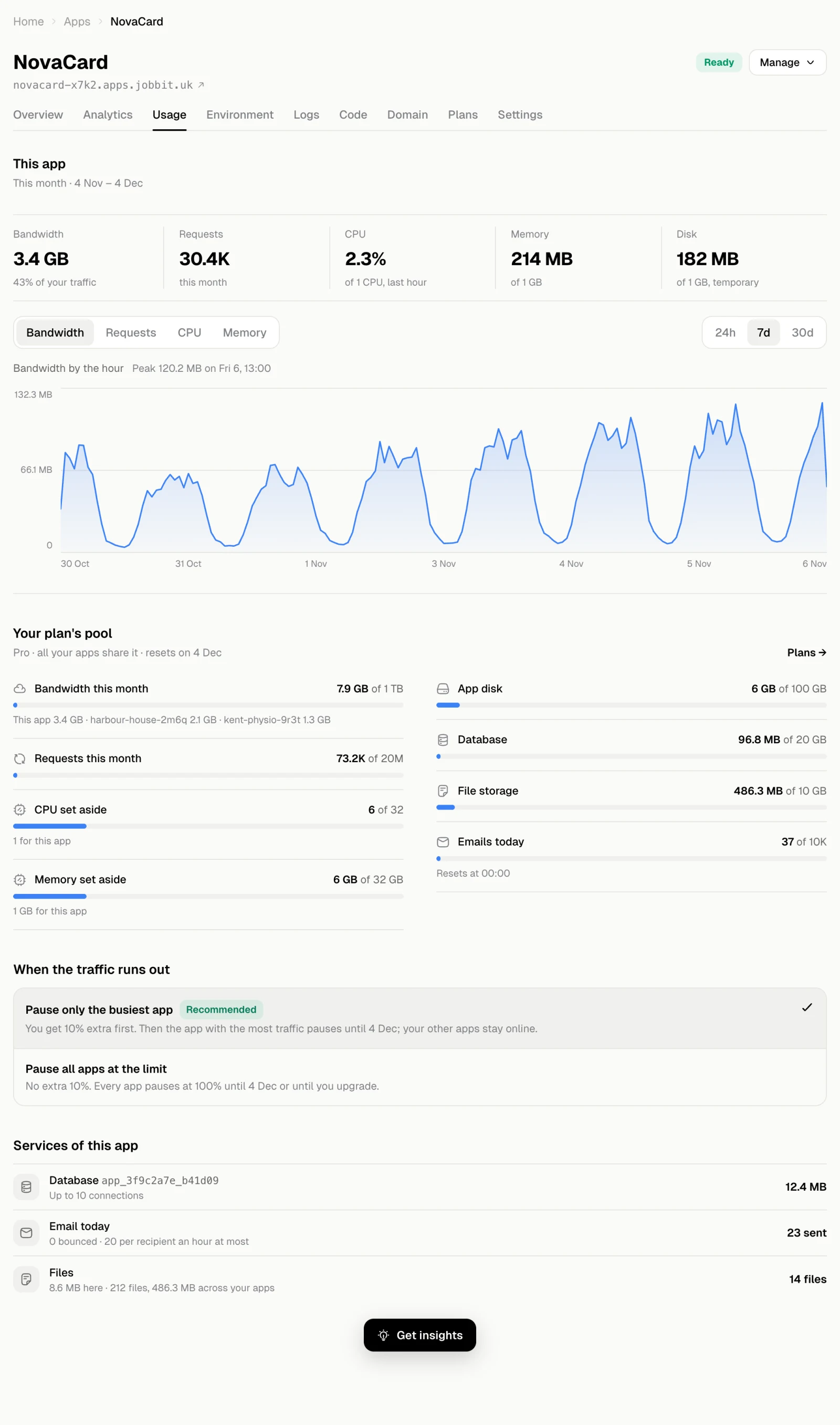
This app
The figures at the top cover the current billing month:| Figure | What it measures |
|---|---|
| Bandwidth | Data the app served this month, and its share of your plan’s traffic |
| Requests | Requests the app answered this month |
| CPU | How busy the app’s processor was in the last hour |
| Memory | Memory in use now, out of what is set aside for the app |
| Disk | Space the running app uses. It is temporary and is not kept when a new version deploys, so keep files in file storage or the database |
Your plan’s pool
Your plan gives one pool of resources that all your apps share. It resets when the plan renews.| Resource | Notes |
|---|---|
| Bandwidth this month | With a breakdown by app |
| Requests this month | All apps together |
| CPU set aside and Memory set aside | Reserved for your apps, and how much of it this app has |
| App disk | Disk of all your apps |
| Database | Space used by your managed databases |
| File storage | Files your apps keep in Jobbit’s storage |
| Emails today | Mail your apps sent today; the count resets every day |
When the traffic runs out
Choose what happens when your apps use up the month’s bandwidth:- Pause only the busiest app (recommended): you get 10% extra first. Then the app with the most traffic pauses until the plan renews, and your other apps stay online.
- Pause all apps at the limit: no extra. Every app pauses at 100% until the plan renews or you upgrade.
Services of this app
The bottom of the tab lists what the app uses from Jobbit:- Database: its managed PostgreSQL database, how many connections it may open and its size.
- Email: mail sent today, how much bounced and the sending limit per recipient. See Email.
- Files: files the app keeps in Jobbit’s storage.