
Logs has two views: Runtime, what the app prints while it runs, and Build, how the latest deploy went.

Runtime

The runtime log follows the app live, newest lines at the bottom. Errors are red and warnings amber, and the counters at the top jump to them.
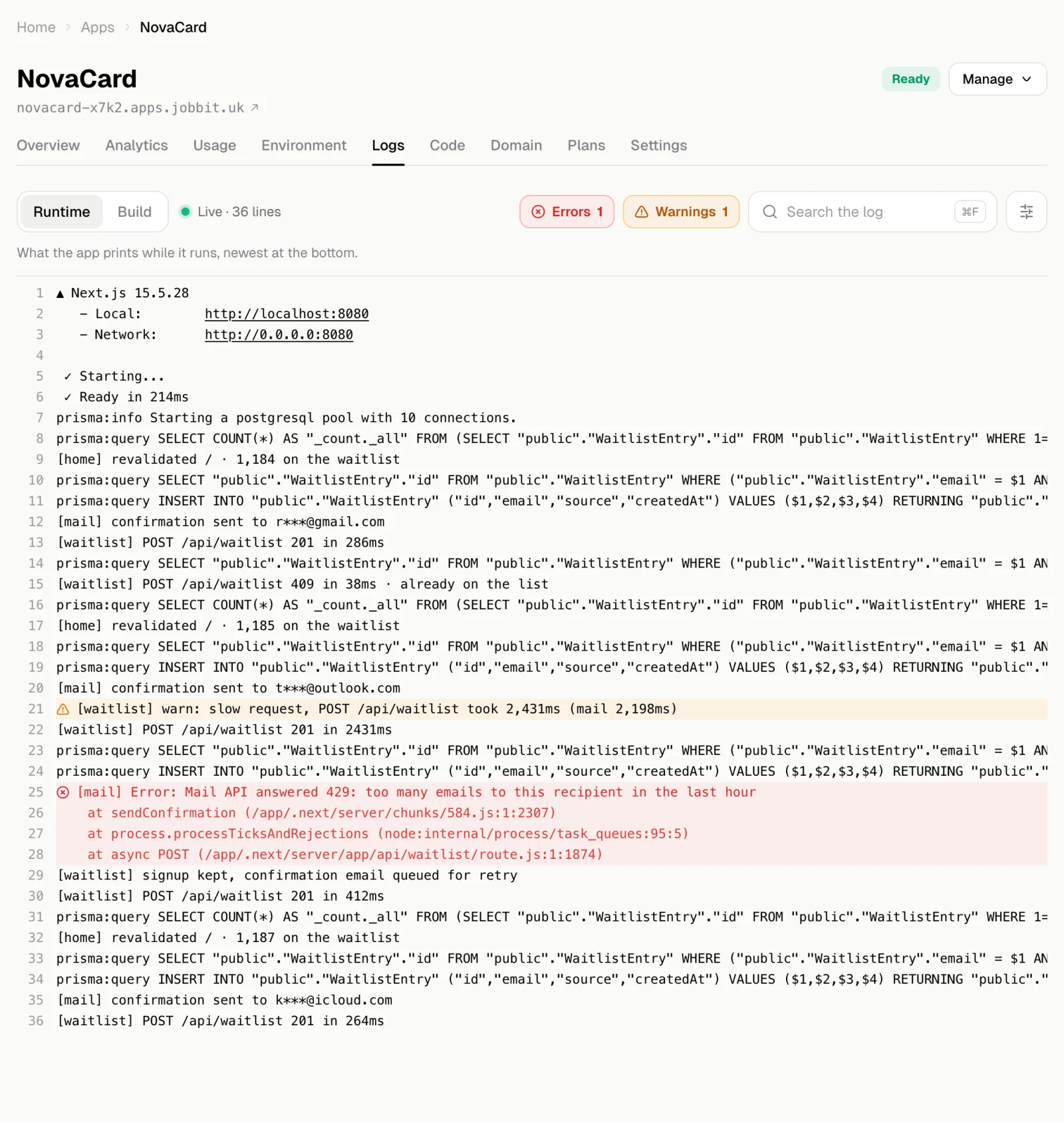
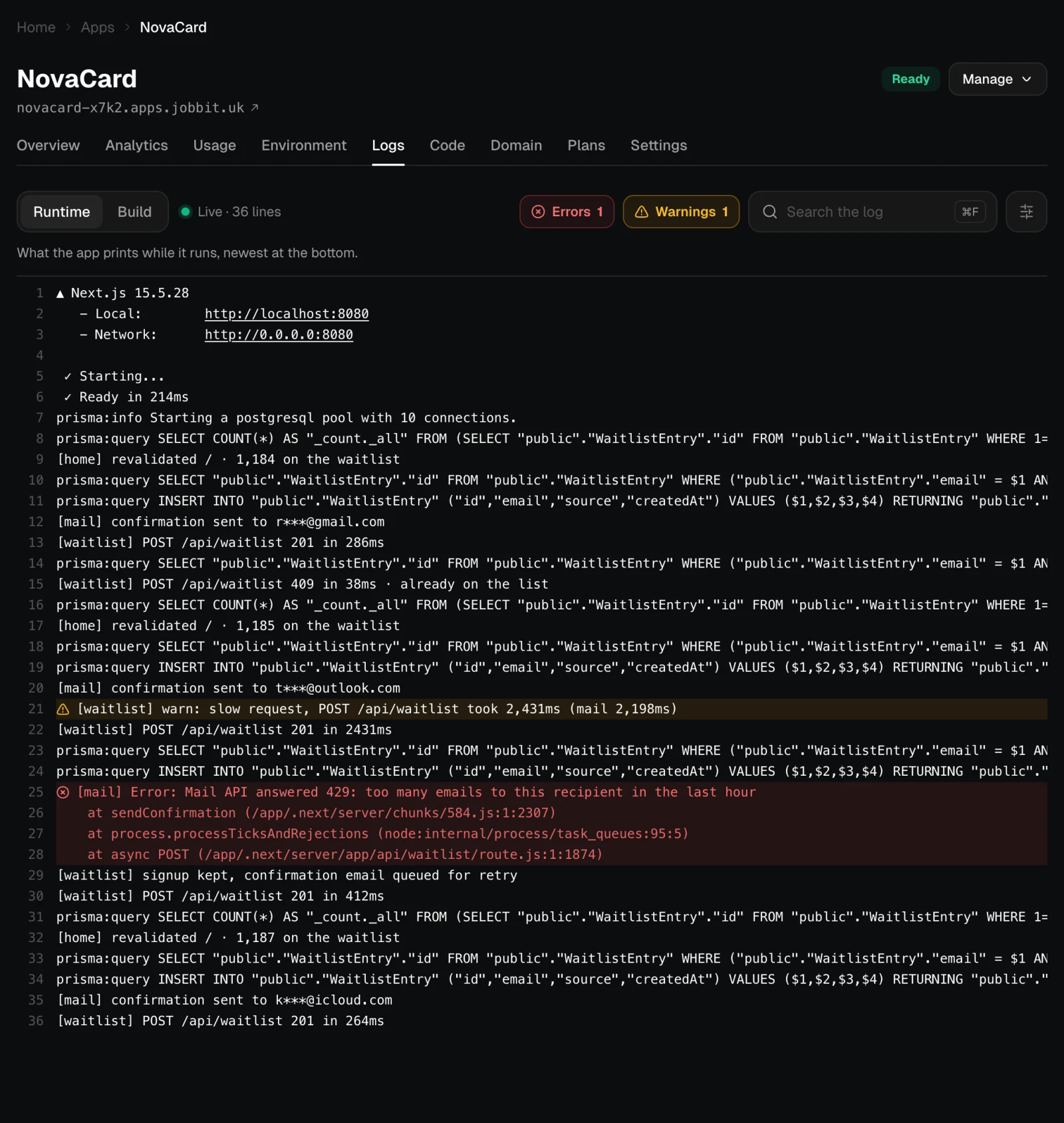
The runtime log with errors and warnings highlighted, light themeThe runtime log with errors and warnings highlighted, dark theme
  • Search the log (or ⌘ F) finds text in it.
  • The menu next to the search sets Wrap lines, Line numbers and Follow new lines, switches the search to Match case or Regular expression, and has Copy the log and Download .log.

Build

Build shows the steps of the latest deploy: preparing the project, building it, starting it, checking that it answers, and connecting it to its address.
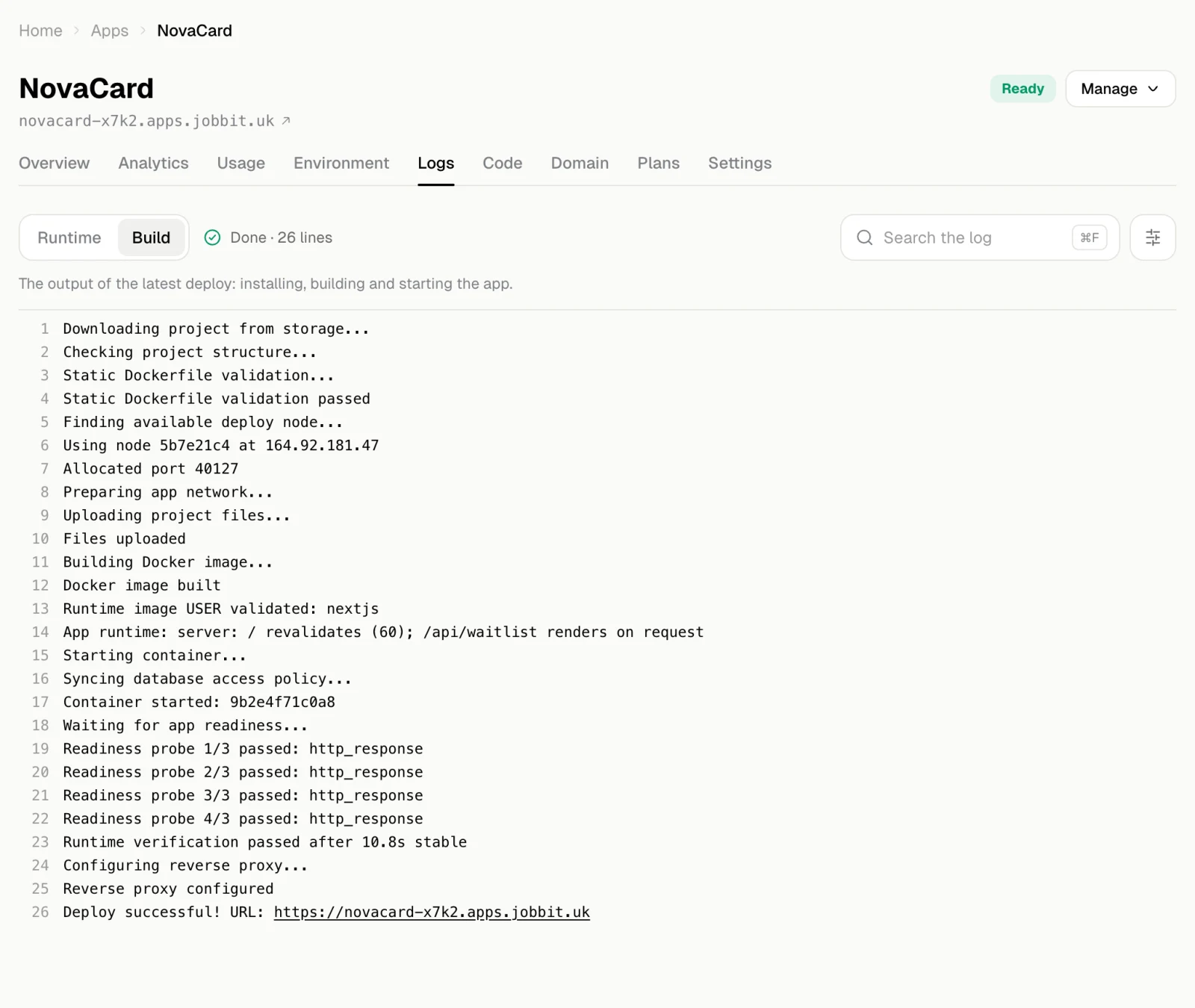
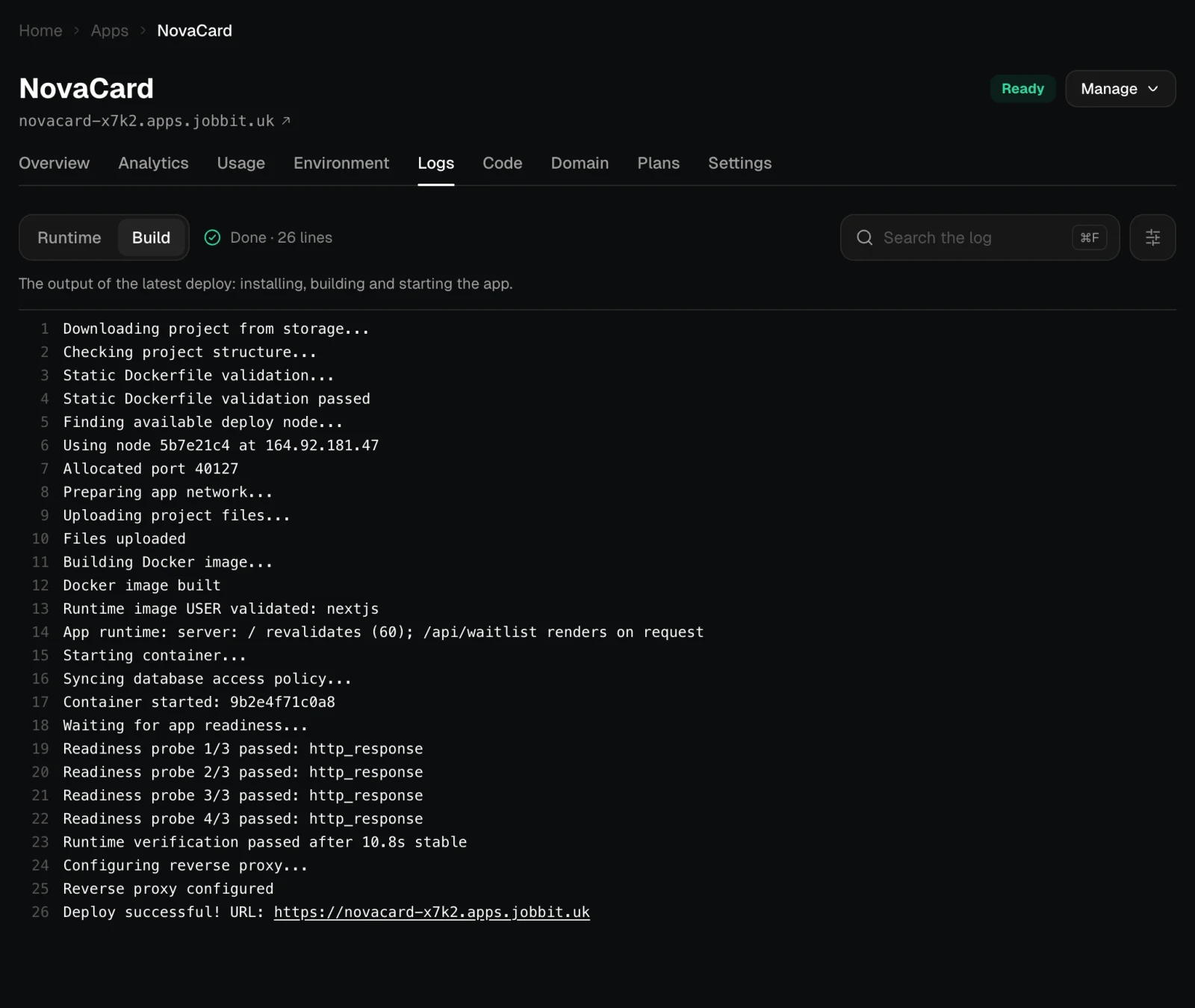
The Build log of the latest deploy, light themeThe Build log of the latest deploy, dark theme
Jobbit keeps the build output for an hour after a deploy. After that the view says that no build output is kept for this app; the runtime log stays.

When something is wrong

When an app fails to build or crashes, its Overview says so and links here. The quickest fix is usually to tell the agent in the app’s chat what you see, or to paste the error lines: the agent reads the code, fixes it and publishes a new version.